Using Tap to Pay in the Shopify mobile app
After activating Tap to Pay in the Shopify app, you can accept contactless payments for Quick Sales from your mobile device.
Quick Sale restrictions and limitations
Depending on your store's location, the following limitations apply when using Quick Sale:
Czech Republic, France, Germany, Italy, Spain: Quick Sale is designed only for online and social selling in these regions, and doesn't support in-person retail transactions or generate fiscal receipts. Use Shopify POS for in-person retail compliance in these markets.
Belgium and Denmark: If your business is in the food, beverage, hospitality, kiosk or grocery sectors, or other applicable sectors determined by local laws, then Quick Sale can't be used for in-person retail in these regions.
Accepting Tap to Pay
To accept a Tap to Pay payment, start a Quick Sale and tap Collect > Tap to Pay. Learn more about accepting Tap to Pay for a Quick Sale.
When the Tap to Pay function is prepared, it displays a cart total with a prompt indicating where your customer should hold their contactless credit card, debit card, or mobile wallet on their smartphone or smartwatch.
Accept Tap to Pay on iPhones
Your customer holds their card or device over your iPhone, above the contactless symbol:

Accept Tap to Pay on Android devices
Your customer holds their card or device behind your Android phone, over the contactless symbol:
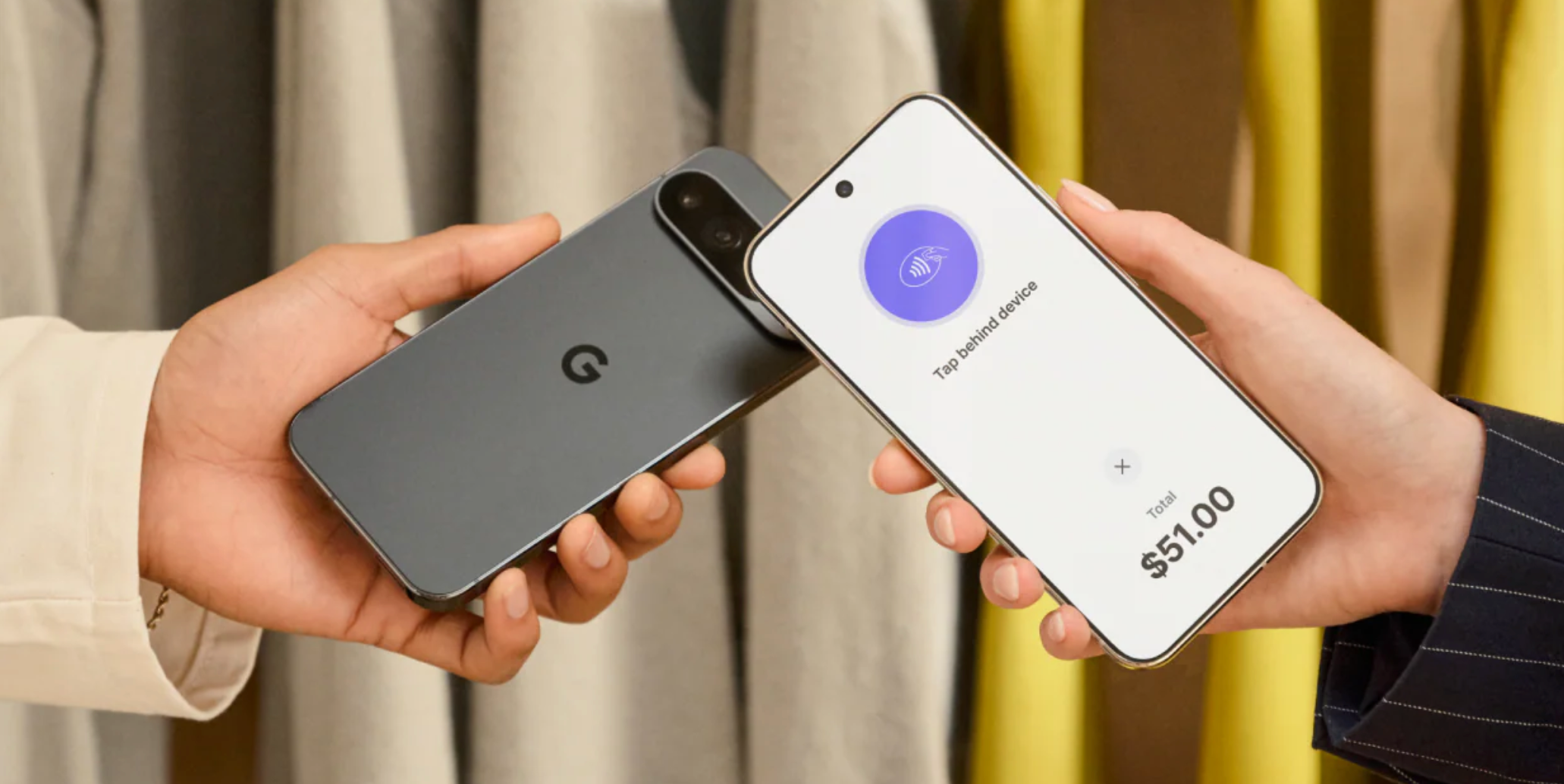
When the payment is approved, your device displays a Done message.
PIN entry with Tap to Pay
When a transaction requires a PIN, PIN digits aren't recorded during Tap to Pay transactions, so customers can enter them safely. Some regions or card issuers might require some payment cards to be inserted into a device, which isn't supported with Tap to Pay. In these cases, you can accept payment for the order with another payment method, such as a secure payment link.
To provide visual or other assistance in PIN entry, Accessibility Options provides alternative methods for securely entering PIN digits.